Showing posts with label youtube. Show all posts
Showing posts with label youtube. Show all posts
Sunday, June 3, 2012

Saturday, June 2, 2012
Thursday, December 22, 2011

Sunday, December 18, 2011
Friday, December 9, 2011

Monday, November 28, 2011
Translated Meaning and VIDEO of "Why This Kolaveri Di?"
While for most folks this song doesn’t need a translation, here’s our attempt at translating it from Madras Tamil to English, with all nuances included, while keeping the meaning intact. Play the song while you go over the lyrics.
Why this killer rage, killer rage, killer rage, girl?
Rhythm correct. Why this killer rage, killer rage, killer rage, girl?
Why this killer rage, killer rage, killer rage, girl?
Maintain please. Why this killer rage, …, …, girl?
The moon is in the distance, the moon.
Moon’s colour is white. Night’s background is white, the night, Night’s colour is black.
Why this killer rage, killer rage, killer rage, girl?
Why this killer rage, killer rage, killer rage, girl?
She’s a fair-skinned girl, girl, Girl’s heart is black, Her eyes and my eyes met, My future is now dark.
Why this killer rage, killer rage, killer rage, girl? Why this killer rage, killer rage, killer rage, girl?
Buddy, take notes, and take the saxophone in your hand. O
ur new friend Puppy Manohar thinks that the “snacks” in the original subtitles is a typo which should be “sax”.
The saxophone solo that immediately follows these lines is proof enough of his hypothesis.
“pa pa paan pa pa paan pa pa paa pa pa paan”
Play it right. Super, buddy! Ready? Ready? 1… 2… 3… 4…
Whoa, what a difference buddy! Alright buddy, now tune changes… “Kaila” glass…
Only English, eh! Glass in hand, Scotch in glass, Tears in eyes, Life’s empty, Girl shows up, Life’s going downhill.
Love, love, oh my love, You stood me up. Cow, cow, holy cow, I want you here now! God, I’m dying now, But she’s happy, how?
This song is for the soup boys, We don’t have a choice.
Why this killer rage, killer rage, killer rage, girl?
Why this killer rage, killer rage, killer rage, girl?
Why this killer rage, killer rage, killer rage, girl?
Why this killer rage, killer rage, killer rage, girl?
Monday, November 14, 2011

Wednesday, November 9, 2011
How to Share your Printer Word Wide [Video Tutorial]
Dear Visitor Today in This Post we Tech you how to use Google Cloud Print, mean How to Share your Printer one computer to another computer thru internet, If you have a printer attached to your computer, you can turn on the printer sharing option and anyone on the home network would then be able to send print jobs to that local printer. All you need to ensure is that your (host) computer is always turned on and also connected to the local network.
Now imagine a slightly different scenario where your local printer is connected to the computer as before but here you want to share that printer with people outside your home network. For instance, your friends could be in a different city and they would still be able to send print jobs to your printer over the Internet.
One option is that you upgrade to an ePrint printer that supports printing via email but you can also do this for your existing printing that is not Internet enabled?
The answer is very much yes! Google, as you know, offers a web based printing technology called Cloud Print that lets you access your existing printer from any browser or mobile phone over the Internet. The same service can now be used to share your printer with anyone else on the web without them being part of your home network.
Step by Step - Sharing your Printer on the Internet
Assuming that the printer to connected to your Windows or Mac computer, here’s how you may share it friends and family anywhere:
A: Connect your printer to Cloud Print
Step 1. Open Google Chrome, choose Tools –> Options (or Preferences) –> Under the Hood and sign-in to Google Cloud Print.
Step 2. Choose “Finish printer registration” and all printers attached to your computer can then be accessed over the Internet through Google Cloud Print.
B: Share your printer with friends
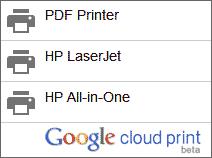
Step 3. Click “Manage your Printers”, select the Printers option and then highlight the Printer name that you would like to share with the outside world.
Step 4. Click the Share button, type the email addresses of your friends and Share. It is as easy as sharing a Google Docs document with someone in read-only mode.
 C: How others can send print jobs?
Step 5: Your friend, with whom you have shared the print, should log on to google.com/cloudprint using their Google Account and accept the “shared printer.”
Step 6. Next they hit the big “Print” button on the Cloud Print website, upload a file and print using the shared printer. That’s it.
Once they print a file, you should see a new print job on your computer in the next ten seconds or so. Your friend can send files for printing from the mobile phone as well.
This method doesn’t require any complicated networking and since everything works inside the browser, it doesn’t matter whether they are sending print jobs from a Windows, Mac or Linux machine. It just works!
Now imagine a slightly different scenario where your local printer is connected to the computer as before but here you want to share that printer with people outside your home network. For instance, your friends could be in a different city and they would still be able to send print jobs to your printer over the Internet.
One option is that you upgrade to an ePrint printer that supports printing via email but you can also do this for your existing printing that is not Internet enabled?
The answer is very much yes! Google, as you know, offers a web based printing technology called Cloud Print that lets you access your existing printer from any browser or mobile phone over the Internet. The same service can now be used to share your printer with anyone else on the web without them being part of your home network.
Step by Step - Sharing your Printer on the Internet
Assuming that the printer to connected to your Windows or Mac computer, here’s how you may share it friends and family anywhere:
A: Connect your printer to Cloud Print
Step 1. Open Google Chrome, choose Tools –> Options (or Preferences) –> Under the Hood and sign-in to Google Cloud Print.
Step 2. Choose “Finish printer registration” and all printers attached to your computer can then be accessed over the Internet through Google Cloud Print.
B: Share your printer with friends
Step 3. Click “Manage your Printers”, select the Printers option and then highlight the Printer name that you would like to share with the outside world.
Step 4. Click the Share button, type the email addresses of your friends and Share. It is as easy as sharing a Google Docs document with someone in read-only mode.
Step 5: Your friend, with whom you have shared the print, should log on to google.com/cloudprint using their Google Account and accept the “shared printer.”
Step 6. Next they hit the big “Print” button on the Cloud Print website, upload a file and print using the shared printer. That’s it.
Once they print a file, you should see a new print job on your computer in the next ten seconds or so. Your friend can send files for printing from the mobile phone as well.
This method doesn’t require any complicated networking and since everything works inside the browser, it doesn’t matter whether they are sending print jobs from a Windows, Mac or Linux machine. It just works!
Tuesday, November 8, 2011
Ford Fiesta 2011 has Voice Control
Dear Visitors in this Post i discuss about some latest Technology which is Ford Fiesta 2011 Interduce in his Car Voice Control your Car, Now this Technology same like Your computer has voice recognition software to help you write emails without touching the keyboard. Your phone can probably understand voice commands as well so you can speak and take notes or even search the web.
Now how about driving a car that does voice recognition?

The New Ford Fiesta Does Voice RecognitionNow how about driving a car that does voice recognition?
Ford recently introduced the All-New Ford Fiesta in India and I have test-driving the petrol version (Titanium model) for about two weeks now. The new Fiesta sports a very attractive exterior body (the blue color definitely is an eye-turner), the interiors feel quiet, the car comes fitted with parking sensors at the rear but the one feature that interested me the most was voice control.
The All-New Ford Fiesta lets you control the air-conditioning, radio, the CD player and your phone using simple voice commands. The first time I used the voice feature to change the fan speed, you could hear that collective wow from everyone inside the car.
The voice button attached to the steering wheel is easily approachable. You just need to press that button once, the car makes a short beep sound and you are in voice mode.
Next you "speak" the command. For instance, you say 'temperature', the car repeats if it successfully recognizes your command and then you say a number - like twenty three - to set the temperature at 23°C. If you try setting a very high temperature, the system says "not possible" and cancels the command.
Similarly, if you want to tune the radio to a particular frequency, you say the command Radio followed by AM or FM and then the station frequency. The voice commands are easy to remember though it may take a couple of days to master them well. I kept using the command "fan speed" and it would fail every time, turned out the command was "fan" which I only realized after going back to the car manual.

You can pair your mobile phone with the car and make or receive phone calls hands-free. The pairing is wireless - it uses Bluetooth - and you can configure up to six different phones with the car (much needed if other family members also use the car).
Once the phone is connected, making calls is easy. Press the Voice Control button, say the command Dial Number and say the number. The system would repeat the number to confirm and you say Dial to begin dialing. The car has an internal memory that you may use to store frequently dialed numbers and attach them with a name - thus you don't you have say the whole number again. If you are on a busy route, you can use the command "Reject Calls" and the car would automatically reject all your incoming phone calls.
The car's dashboard is also fitted with a phone-like keyboard to help you quickly dial numbers manually in case the voice system isn't able to recognize your spoken digits correctly. Alternatively, and this is interesting, you can access your complete phone logs and your phone’s address book on the 3.5” screen attached to the dashboard but there’s no way to navigate this list with voice.
Voice control is a useful feature and the implementation is very user-friendly but how well does it work. The first two days with the system were frustrating as it would not recognize most of the voice commands. Either I was speaking too fast or, I thought, the car's voice recognition system had trouble recognizing my Indian accent.
Things however got a little better with time. I was still speaking in natural tone but added a little extra pause between letters and that seemed to do the trick most of the times. I have captured a quick video here detailing my experience with the various voice commands of the All-New Ford Fiesta.
Voice Commands in Ford Fiesta – Video Review
Monday, November 7, 2011
Justin Bieber Social Media Fame Story

In 2011, Bieber, Inc. certainly hasn’t forgotten its viral roots. He is consistently among the most tweeted, shared and viewed celebrities on the social web. When he talks to his fans, they reply and follow by the millions. It’s the kind of persistent, real-time fame that would explode the heads of ye olde teen idols.
In a recent visit to Mashable HQ, the folks at Crisp Social admitted they shared our fascination with the boy wonder, and created the infographic below — a breakdown of The Bieb’s astounding digital reach.

Saturday, September 24, 2011
Youtube tips and shortcuts
Advanced Video Search in Plain English
Searching videos on YouTube is simple but if you know a few tricks, it becomes even more fun and accurate. The YouTube team has considerably simplified their video search function making it easier for people to perform advanced searches on YouTube without learning any complicated syntax. Let’s look at some real-world examples:
#1. Find a specific YouTube channel
royal wedding, channel
YouTube will have numerous videos related to the royal wedding but if you are only looking for their official YouTube channel, add the word channel to your query separated by a comma.
#2. Limit your search to recently uploaded videos
oprah winfrey, this week
This will only show recent videos related to Oprah that have been uploaded to YouTube in the past week. You may also use “today” or “this month” to limit your search to videos that were uploaded in the past month.
#3. Find only official videos, no fan material please
never say never, partner
If you are looking for the ‘official’ Justin Bieber track and don’t want to see any parodies or fan material in the search results, add the word ‘partner’ to your search query.
#4. Find movies on YouTube
jackie chan, movie
Yes, you can find full-length movies on YouTube (including Bollywood titles). The search operator for finding movies is, you got it right, movie.
#5. Find high-quality videos on YouTube
the king's speech trailer, hd
Add the keyword hd to your search query and YouTube will only show High-definition video clips that are either 720p (1280x720) or 1080p (1920x1080 pixels).
#6. Find 3D video clips on YouTube
avatar, 3d
Got a pair of 3D glasses? Add the keyword 3D to your search query and discover 3D videos. You may also enjoy some 3D content on YouTube without the glasses – see details.
#7. Find video playlists on YouTube
bryan adams, playlist
Playlists are a great option if you want to find and watch (or listen) multiple related videos in one go – like all the Old Spice commercials or your favorite Savage Garden tracks. You may also copy YouTube playlists to your own account.
#8. Find lengthy videos on YouTube
tom and jerry cartoons, long
Add the keyword long to your search query and YouTube will only return videos that are at least 20 minutes in length.
#9. Perform exact-match searches on YouTube
allintitle:"google goes gaga"
You can borrow the popular allintitle search operator from Google on YouTube to perform exact title matches. Might be useful when the original video is not available in your country due to geographic restrictions.
#10. Mix and Match
ted talks, hd, this month, long
The best part about YouTube search is that you combine multiple search operators with commas and apply them all to your query (much like the Boolean AND operator). The above example will help use find all TED talks that have recently been uploaded to YouTube.
Tuesday, June 14, 2011
Possibly The Greatest Semi Precious Weapons Tribute to Date!

Saturday, April 16, 2011
EPISODE #11 - AN ACOUSTIC EVENING WITH ANDY MCKEE!
Rusty Cooley interviews Andy KcKee, one of the most talented and amazing modern acoustic guitar players of our time. Part 1: Rusty Cooley interview acoustic guitar master Andy McKee. Part 2: Rusty Cooley teaches another Master Class and our resident Guitar Tech Guru Mike Nedd gives us another tip on keeping your axe in top shape. Part 3: Andy McKee gives us a demonstration on his 12-string harp guitar and then gives us a great performance on his fanned out fret 6-string guitar.
Sunday, February 6, 2011
Justin Talks to PopCandiesTV
Pop Candies TV caught up with Justin Tranter, Mama Tranter and Jimmy Knehans at Voyeur in West Hollywood. Justin talked about the new weekly party Semi Precious Weapons be hosting in L.A. whilst recording their new album.
The "Rock & Roll - Porn Extravaganza" will likely be hosted at the Roxy, a venue that has housed many memorable SPW shows. After which he and the rest of the boys will jump back in the groove of the Monster Ball Tour in April with Lady GaGa.
Check out the video above to see the new tattoos as well as some FFGHS (Fierce Fucking Glitter Heel Shots)
Saturday, January 22, 2011
Wednesday, January 12, 2011
Semi Precious Youtubers! Part II
Wednesday, December 29, 2010
Semi Precious Youtube Fans!
Check out some of these fun youtube videos from some truly amazing weapons!
Semi Precious Weapons are obvs. inspiring girls nationwide to dance crazy in their bedrooms...Is there any other way?
Semi Precious Weapons are obvs. inspiring girls nationwide to dance crazy in their bedrooms...Is there any other way?
Saturday, September 25, 2010
Raw Dogg Interviews Semi Precious Weapons
Not sure how old this interview is, but I've never seen it.
Monday, August 30, 2010
Subscribe to:
Posts (Atom)


